
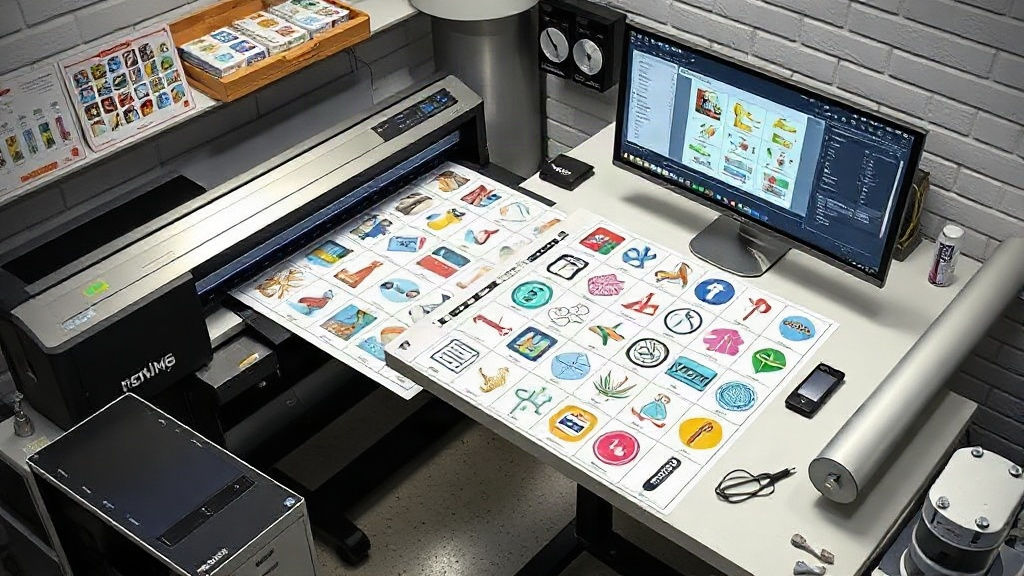
If you run a print shop or sell custom apparel, you already know that squeezing every cent of profit from each job matters. One tool that often flies under the radar is the DTF gangsheet builder. This software lets you arrange multiple designs on a single film, cutting material waste and labor time. But are you using it to its full potential? Let's explore how to turn your gangsheet builder into a profit engine.
What Is a DTF Gangsheet Builder?
A DTF gangsheet builder is a software tool that helps you nest multiple DTF transfers onto one sheet of film. Instead of printing each design separately, you combine them into a single gang sheet, which you then print, powder, and cure in one pass. This approach saves film, ink, and time. Most builders let you drag and drop images, auto-arrange them for minimal waste, and even calculate the best layout based on your film width.
Why Using a Gangsheet Builder Is a Game-Changer
Print shops that adopt a gangsheet builder see immediate benefits. Here are the main advantages:
- Material savings: By nesting designs tightly, you use less film and ink. A well-optimized gang sheet can reduce film waste by 30% or more.
- Time efficiency: Printing one large sheet instead of many small ones means fewer setup cycles. You spend less time loading film, powdering, and curing.
- Consistency: All transfers on a sheet go through the same curing process, so colors and durability are uniform.
- Scalability: You can easily produce hundreds of transfers per day without adding staff.
How to Choose the Right Gangsheet Builder
Not all builders are created equal. When evaluating options, consider these factors:
- Ease of use: Look for intuitive drag-and-drop interfaces and auto-nesting features.
- Compatibility: Ensure it supports your printer's file formats (PDF, PNG, TIFF) and film sizes.
- Cost calculation: Some builders estimate ink and film usage, helping you price jobs accurately.
- Integration: If you use e-commerce platforms, check if the builder can import orders directly.
Many print shops start with free trials or basic versions. As your volume grows, upgrading to a premium builder with advanced nesting algorithms can pay for itself quickly.
Step-by-Step: Creating a Profitable Gang Sheet
Follow this workflow to maximize efficiency:
- Collect and prepare designs: Ensure all images are high resolution (300 DPI) and have transparent backgrounds. Remove any unwanted elements.
- Group by size and color: If you have many small designs, group them together. For larger designs, place them strategically to fill gaps.
- Use auto-nesting: Let the builder arrange designs for minimal waste. Manually adjust if needed.
- Add a bleed: Leave a small margin around each design to allow for cutting tolerance.
- Print and cure: Follow your printer's settings for DTF film. Use consistent powder application and curing temperature.
- Cut and package: Cut transfers individually, leaving a thin border. Package them in bags with instructions for end users.
Pricing Strategies for Gang Sheet Printing
Pricing DTF transfers can be tricky. You want to be competitive while covering costs and earning a profit. Here's a simple formula:
Price per square inch = (Film cost + Ink cost + Powder cost + Labor) / Total square inches + Profit margin
For example, if a 22x12 inch gang sheet costs $2.50 in materials and $1.50 in labor, and you want a 50% profit margin, your price should be at least $8.00 per sheet. Break that down per design to quote customers accurately.
Many shops offer tiered pricing: the more transfers a customer orders, the lower the per-unit price. This encourages larger orders and improves your bottom line.
Common Mistakes to Avoid
Even experienced printers make these errors:
- Overcrowding: Placing designs too close together can cause ink bleeding or cutting errors. Leave at least 0.25 inches between designs.
- Inconsistent curing: If the sheet is too large, the edges may not cure evenly. Use a conveyor dryer or ensure uniform heat.
- Ignoring film direction: DTF film has a print side and a back side. Printing on the wrong side ruins the transfer.
- Not testing: Always do a test print and wash test before offering a new design to customers.
Advanced Tips for Power Users
Once you're comfortable with the basics, try these advanced techniques:
- Batch by color: Group designs with similar color profiles to reduce ink changes and improve color consistency.
- Use nesting software: Some builders have advanced algorithms that rotate and flip designs for optimal fit.
- Automate order intake: Integrate your builder with your e-commerce platform to automatically generate gang sheets from orders.
- Track waste: Keep a log of film and ink usage to identify areas for improvement.
Frequently Asked Questions
What is the ideal film width for a DTF gangsheet?
The ideal width depends on your printer. Common widths are 13, 17, and 22 inches. Choose a width that matches your printer and typical order sizes. Wider film allows more designs per sheet but may require a larger printer.
Can I use a gangsheet builder for other printing methods?
Yes, gangsheet builders are also used for DTG (direct-to-garment) and sublimation printing. However, the nesting algorithms and material settings differ, so ensure your builder supports DTF specifically.
How do I calculate the cost per transfer on a gang sheet?
Divide the total cost of the gang sheet (materials + labor) by the number of transfers on it. For accuracy, consider the size of each transfer: larger designs use more ink and film, so you may want to allocate costs proportionally.
What file format should I use for DTF gangsheets?
Most DTF printers accept PNG, TIFF, or PDF files with transparent backgrounds. Ensure your designs are at least 300 DPI for crisp prints. Avoid JPEGs as they don't support transparency.
How long does a DTF transfer last?
With proper application and care, DTF transfers can last 50+ washes. Use a heat press at 325°F for 15 seconds, and wash garments inside out in cold water. Avoid fabric softeners and direct ironing on the transfer.
Final Thoughts
Mastering your DTF gangsheet builder is one of the smartest investments you can make for your print business. It reduces waste, speeds up production, and helps you offer competitive pricing. Start by optimizing your layouts, track your costs, and continuously refine your process. Your profit margins will thank you.